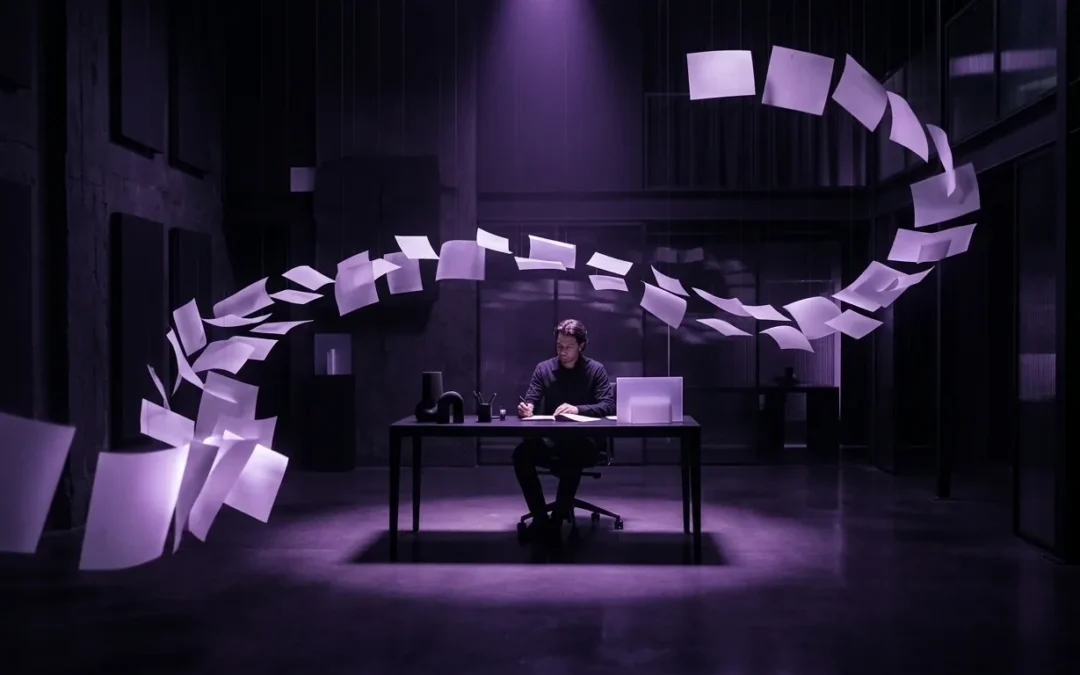
Your campaign launches Friday, but its visual assets still tell five different stories. The blog header feels cinematic. The email graphic resembles stock photography. Meanwhile, each social image uses a different shade of purple.
An AI image generator for marketing can accelerate production. However, speed alone will not solve this problem. Lean teams need a controlled workflow that turns one approved concept into consistent, usable campaign assets.
The practical answer is to govern the system, not every prompt. Define the input brief, visual boundaries, approval points, and failure rules before anyone generates images. Then let AI handle controlled variation while people retain responsibility for meaning, rights, and release.
In This Article You’ll Learn
- How to convert a campaign brief into enforceable visual instructions.
- Which image decisions AI can handle within clear guardrails.
- Where human approval remains necessary before publication.
- How to create channel variants without causing brand drift.
- Which risks, records, and metrics belong in a practical pilot.
Why Faster Image Generation Does Not Fix Visual Operations
Image generation removes one production constraint. It does not remove unclear ownership, weak briefs, or scattered feedback. In fact, faster output often exposes those problems sooner.
Imagine one marketing manager preparing a product campaign. The campaign needs a blog image, three social formats, an email banner, and two advertising concepts. A designer cannot support every variation before the deadline.
The manager opens an image tool and generates dozens of options. Some look polished, yet few match the campaign. Others contain irrelevant objects, confusing symbolism, or visual details that imply unsupported product features.
Now the manager has more assets and less certainty. Reviewing fifty loosely related images takes longer than reviewing three disciplined directions. Therefore, the team has accelerated production but created a new decision bottleneck.
A governed workflow reverses that pattern. It narrows the concept first. Next, it defines what must remain stable. Finally, it generates only the variants needed for approved channels.
This is an operational change, not merely a creative shortcut. The goal is not to produce the largest number of images. Instead, you want the smallest set that communicates the campaign clearly and safely.
Separate the Concept From Its Variants
The concept is the visual idea that supports the campaign message. A variant adapts that concept for a placement, audience, or format.
For example, a campaign concept might show a compact team directing coordinated activity from a calm workspace. The blog version can provide more environmental detail. An advertisement may use tighter framing and stronger contrast.
Both assets should still share the same visual grammar. That includes color, lighting, subject treatment, mood, and composition. If those elements change freely, each variant becomes a new concept.
This distinction saves review time. Approve the concept once. Then review each variant for compliance rather than debating the campaign idea again.
Build a Campaign Image Brief That a System Can Follow
Most campaign briefs are written for flexible human interpretation. They include broad phrases like “modern,” “innovative,” or “premium.” Those words may start a discussion, but they do not provide reliable production controls.
An AI-ready brief translates creative intent into observable constraints. It should explain the campaign purpose, target audience, desired response, and permitted visual territory.
Start with these inputs:
- Campaign objective: State the business action that the image should support.
- Audience context: Describe what the viewer already knows and expects.
- Core message: Name the single idea the visual must reinforce.
- Visual anchors: Define the palette, setting, subject, lighting, and composition.
- Exclusions: List objects, symbols, styles, and implications that cannot appear.
- Channel requirements: Specify dimensions, safe areas, cropping behavior, and accessibility needs.
- Review owner: Assign one person who can approve or reject each stage.
Exclusions deserve special attention. A positive prompt describes what you want. An exclusion list protects you from predictable mistakes.
For example, a software campaign may forbid screens, dashboards, interface elements, logos, text, and futuristic robots. Those exclusions prevent visual claims that the actual product experience cannot support.
Likewise, a professional services campaign may avoid lab coats, glowing brains, chess pieces, and anonymous handshakes. These images are familiar, but they rarely communicate a distinctive operating advantage.
Keep the brief short enough to use. A one-page production brief usually creates better compliance than a twenty-page brand guide nobody checks during a deadline.
You can explore related operating guidance on the Promarkia blog. The same principle applies across content systems: constraints should guide execution without replacing judgment.
Use a Four-Stage AI Marketing Image Workflow
A reliable process should make responsibility visible. Every stage needs an input, an owner, an expected output, and a clear response when quality fails.
Stage 1: Approve the Visual Direction
Begin with two or three concept descriptions, not finished images. Each description should connect a visual scene to the campaign message.
The marketing owner reviews those directions for relevance. A brand owner checks whether the concepts fit established visual language. If a regulated claim is implied, the appropriate reviewer should assess it now.
The output is one approved direction. If no option works, return to the message brief. Do not compensate for an unclear idea by generating more images.
Stage 2: Generate a Small Exploration Set
Create three to six images using the approved direction. Keep the palette, lighting, subjects, and exclusions fixed. Change only one variable at a time.
For example, you might test a wide composition, a centered composition, and a close crop. You should not change the setting, subject, visual style, and emotional tone simultaneously.
Controlled exploration makes feedback useful. A reviewer can say which composition communicates best. By contrast, a collection of unrelated images produces subjective reactions without reusable learning.
Stage 3: Run the Preflight Review
Once a lead image is selected, inspect it at full size and thumbnail size. Marketing images often look compelling from a distance while hiding defects in hands, reflections, shadows, tools, or background objects.
Use this preflight checklist:
- The image supports the campaign message without adding unsupported claims.
- The subject and setting make sense for the intended audience.
- Faces, hands, reflections, edges, and repeated objects look coherent.
- The palette and lighting align with the approved visual direction.
- No forbidden text, logo, interface, or recognizable trademark appears.
- The asset remains understandable when cropped for its intended channel.
- Alt text can describe the image’s communication purpose plainly.
- Generation details and editing decisions are recorded with the asset.
If the asset fails one check, decide whether to edit or regenerate. Minor cropping and color corrections may be efficient. Structural defects usually justify regeneration.
Stage 4: Produce Controlled Channel Variants
After the master concept passes review, adapt it for each placement. Treat the approved image as the reference, not merely the original text prompt.
Lock the subject, setting, palette, lighting, and visual mood. Then vary dimensions, crop, negative space, and focal position according to channel requirements.
For example, the blog image may use a wide environmental composition. The email banner can preserve the same scene with a tighter vertical crop. Social variants can reposition the focal subject to survive platform cropping.
Every variant still needs a quick quality check. However, the reviewer should ask whether the adaptation preserved the approved concept. They should not reopen the original creative decision.
Decide What AI May Do Without Additional Approval
Not every image decision carries the same risk. You can assign autonomy based on consequence and reversibility.
A simple autonomy ladder helps:
- Suggest: AI proposes visual concepts, but a person chooses the direction.
- Draft: AI generates exploration images within an approved brief.
- Adapt with approval: AI creates channel variants that require review before use.
- Execute within guardrails: AI produces low-risk variants under defined conditions.
Most teams should begin at the second level. Generating drafts provides meaningful time savings while preserving a clear release decision.
The fourth level fits repetitive, low-risk production. For example, an internal event reminder may use an approved abstract background with fixed colors and dimensions. Even then, sampling and periodic review remain sensible.
Public advertising requires tighter control. The same applies to images involving people, products, customer contexts, sensitive topics, or regulated claims.
Use three decision criteria:
- Consequence: What happens if the image is misleading or offensive?
- Detectability: How likely is a reviewer to notice the problem quickly?
- Reversibility: Can the team remove or replace the asset without lasting harm?
If consequence is high, human approval should remain mandatory. If defects are difficult to detect, increase review depth. When mistakes cannot be reversed easily, document approval before release.
Common Mistakes That Create Brand Drift
The largest mistake is automating an undefined process. If nobody owns the visual direction, AI will not create alignment. It will produce attractive interpretations of conflicting instructions.
Another common error is using one enormous prompt as the entire governance system. Long prompts can help, but they are difficult to maintain. Separate durable brand constraints from campaign-specific choices and channel instructions.
Teams also generate too many options. Unlimited variation feels productive because output is visible. Yet every additional option consumes review time and weakens decision discipline.
Set an exploration limit before generation. Three directions and six draft images are often enough for a small campaign. If those fail, revise the brief rather than adding another thirty images.
Some teams review only aesthetics. They ask whether an image looks good, but not whether it communicates truthfully. A polished visual can still imply the wrong audience, capability, scale, or business setting.
Finally, teams forget asset records. Six months later, nobody knows which model produced an image, what source material informed it, or whether a person edited it.
Basic documentation prevents confusion. Record the tool, date, campaign, prompt version, reviewer, approval decision, and final modifications. This record does not need a complex new platform. A consistent field structure in your existing asset library can work.
Risks and Tradeoffs to Review Before Scaling
AI-assisted image production creates useful capacity, but it also changes your risk profile. Governance should remain proportional to the audience, subject, and distribution level.
Rights and Provenance
Commercial teams need to understand the terms governing their chosen image service. Policies can differ by provider, account level, model, region, and use case.
Do not assume every generated asset carries identical rights. Review provider terms with qualified counsel when campaigns have significant commercial or reputational exposure.
The U.S. Copyright Office AI initiative provides useful background on copyright questions. Its material is informative, but it does not replace advice for your circumstances.
Misrepresentation and Bias
Generated images can repeat stereotypes or represent workplaces inaccurately. They may also make products appear larger, more advanced, or more complete than reality.
Review people, environments, clothing, physical access, and professional context. Ask whether the asset reflects your audience respectfully rather than using visual diversity as decoration.
Disclosure and Platform Requirements
Disclosure expectations continue to develop across platforms and jurisdictions. Therefore, keep records that allow your team to explain how an asset was created.
The Content Credentials initiative explains one approach to communicating content provenance. Adoption and platform handling vary, so verify current requirements for each destination.
Efficiency Versus Distinctiveness
Standardization makes production easier, but excessive standardization creates sameness. A rigid prompt library can cause every campaign to use identical compositions and visual metaphors.
Preserve a stable brand grammar while rotating scenes and editorial ideas. Your palette may remain consistent. However, the subject, environment, perspective, and visual tension should respond to each campaign.
This tradeoff needs creative judgment. Governance should eliminate avoidable mistakes, not flatten every original idea.
Two Practical Implementation Examples
Example 1: One Manager Launches a B2B Campaign
A marketing manager needs a blog header, an email banner, and three social assets. The campaign explains how a lean team coordinates several marketing tasks.
First, the manager defines one scene: a small team arranging physical campaign materials in a dark studio. The brief permits deep purple surfaces and black accents. It forbids screens, dashboards, text, logos, and science-fiction robots.
Next, the image tool generates four wide compositions. The manager rejects two because their scenes look too industrial. A brand reviewer approves one quieter composition with more negative space.
The tool then creates channel adaptations using the approved image as a visual reference. The manager checks crops, objects, and color consistency. Finally, each asset enters the library with its prompt version and approval date.
The workflow does not remove human work. Instead, it concentrates human attention on message, direction, and release. AI handles exploration and repetitive adaptation.
Example 2: A Content Team Refreshes Evergreen Articles
A small content team has older articles with inconsistent stock images. Replacing every asset manually would consume weeks of design time.
The team creates three approved visual systems for strategy, operations, and analytics content. Each system defines a distinct scene family, composition rule, and palette treatment.
AI drafts replacements in batches of five. A content editor checks topical relevance. Meanwhile, a brand reviewer samples each batch and rejects repeated motifs.
The team does not automate publication. Instead, images enter a review queue beside the article title, alt text, and destination URL. That choice makes errors reversible before visitors see them.
After two batches, the team reviews rejection reasons. If distorted objects appear often, the prompt and exclusions change. If concepts feel repetitive, the scene library expands.
Measure the Workflow, Not Just Its Output Volume
Image count is easy to measure and easy to misuse. Producing more assets has limited value if reviewers reject them or campaigns become less consistent.
Use operational measures that reveal quality and friction:
- Time to approved direction: Measure from brief completion to concept approval.
- First-pass acceptance: Track how many drafts pass without structural regeneration.
- Rework rate: Count assets that require major correction after review.
- Variant consistency: Sample whether channel assets preserve the master concept.
- Policy exceptions: Record rights, disclosure, or brand issues requiring escalation.
- Asset reuse: Track whether approved visual systems support later campaigns.
A pilot should establish a baseline before promising improvements. Choose one recurring campaign type and compare its previous workflow with the governed process.
However, avoid forcing a false comparison. A new system may initially require more review because your team is learning which constraints matter. That investment can still be useful if it produces better briefs and fewer late surprises.
Review metrics after every small batch. Prompt changes should respond to observed failure patterns, not personal preferences alone.
What to Do Next: Launch a Limited Pilot
Do not begin by replacing your entire image production process. Select one campaign with moderate visibility, repeatable formats, and a clear owner.
Use this practical pilot checklist:
- Choose one campaign that needs three to six related visual assets.
- Assign one marketing owner and one final approval owner.
- Write the core message in one plain-English sentence.
- Define visual anchors and explicit exclusions on one page.
- Create no more than three concept directions.
- Approve one direction before generating channel variants.
- Run the visual, rights, brand, and accessibility preflight.
- Record prompts, edits, reviewers, and final approval decisions.
- Measure approval time, rework, rejection reasons, and consistency.
- Update the brief before starting the next campaign.
Try this: Take your next campaign brief and underline every subjective adjective. Replace each one with a visible instruction or an example of what it excludes.
- Replace “modern” with a specific setting, lighting style, and material treatment.
- Replace “professional” with the audience, context, clothing, and intended emotional tone.
- Replace “dynamic” with composition, motion, depth, and focal-position instructions.
- Replace “on brand” with approved colors, forbidden motifs, and reference assets.
Your first pilot should teach you where human judgment creates the most value. Keep those approval points. Automate only the repetitive work between them.
That approach produces something better than rapid image generation. It creates a dependable campaign image system that a lean team can operate, review, and improve.
Frequently Asked Questions
What is an AI image generator for marketing?
It is a generative system used to create or adapt visuals for campaigns. Marketing use adds requirements for brand consistency, rights review, accessibility, channel formats, and approval.
Can AI-generated images be used commercially?
Commercial use depends on the provider’s current terms, your inputs, applicable law, and the asset’s context. Review relevant agreements and seek qualified advice for consequential campaigns.
Should every AI marketing image receive human approval?
Public, customer-facing, sensitive, or claim-related images should receive human review. Low-risk variants may use lighter controls after the team validates clear guardrails.
How many image options should a team generate?
Start with three concept directions and three to six exploration images. If none works, improve the brief rather than generating an unlimited batch.
How can a team keep AI images on brand?
Define visual anchors, exclusions, reference assets, and approval ownership. Approve one master direction before creating channel variants from it.
What should an AI image preflight include?
Check message accuracy, anatomy, objects, reflections, brand fit, trademarks, text, cropping, accessibility, rights, and required disclosure. Record the final approval decision.
Which metrics show whether the workflow works?
Track approval time, first-pass acceptance, rework, policy exceptions, channel consistency, and asset reuse. Avoid treating raw image volume as the primary success measure.